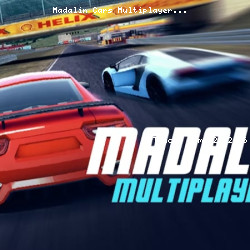
Play Madalin Cars Multiplayer Driving
• 94K Plays • 187.9K Views • star 4.4 (5.6K)
All
Device
Landscape
Orientation
5.6K ratings
Rate This Game
gamepad How to Play Madalin Cars Multiplayer
Controls
- WASD / arrow keys = drive around
- F = use nitro
- C = change camera view
- R = reset car's position
- B = restart game
- I = start / stop engine
- M = show / hide rear mirror
- T = top map view
- U = kmh / mph
- H = turn on / off police light
- J = change engine sound
- L = full screen
- O = options
- Space = hand brake
- L-shift = gear up
- L- control = gear down
info About Madalin Cars Multiplayer
Madalin Cars Multiplayer works well for short play sessions while still being engaging enough to make you want to return many times. Madalin Cars Multiplayer offers a stable and smooth feel, making its Tunche Game content easier to enjoy. Madalin Cars Multiplayer supports uninterrupted browser gaming.
The play Driving in browser genre helps define pacing and structure in Madalin Cars Multiplayer. Go to TuncheGame and discover Madalin Cars Multiplayer if you want to try a game you can play instantly. You can discover more engaging gameplay in Max vs Gangsters and Dragons Merge: Battle Games.