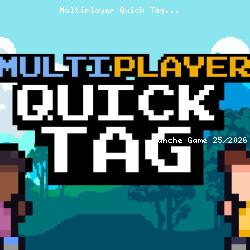
Multiplayer Quick Tag Action Play
monoinyo • 42.9K Plays • 42.9K Views • star 4.5 (8.1K)
All
Device
Landscape
Orientation
8.1K ratings
Rate This Game
gamepad How to Play Multiplayer Quick Tag
Controls
PC
Player 1
- Jump = W or up arrow key
- Tag = S or down arrow key
- Left = A or left arrow key
- Right = D or right arrow key
Player 2
- Jump = up arrow key
- Tag = down arrow key
- Left = left arrow key
- Right = Right arrow key
Player 3
- Jump = Y
- Tag = H
- Left = G
- Right = J
Player 4
- Jump = O
- Tag = L
- Left = K
- Right = ;
Mobile
- Tap on the buttons in the corner of the screen to move
Controller
- Jump = A button
- Tag = X Button
- Left/Right = D pad
info About Multiplayer Quick Tag
Multiplayer Quick Tag offers a convenient online gaming experience on TuncheGame. Multiplayer Quick Tag delivers the thrill of overcoming exciting challenges in every level. The influence of new Action games plays a major role in shaping Multiplayer Quick Tag overall.
The gameplay of Multiplayer Quick Tag aligns well with the spirit of play games without download. Start with Multiplayer Quick Tag on TuncheGame for a simple yet exciting experience. Continue your adventure with Obby: Ragdoll Boxing or Wood Screw: Bolts Puzzle.