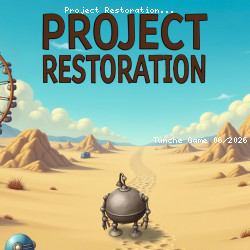
Play Project Restoration Now
• 74.3K Plays • 222.9K Views • star 4.5 (3.7K)
All
Device
Landscape
Orientation
3.7K ratings
Rate This Game
gamepad How to Play Project Restoration
Controls
PC Controls
- Left-click = select objects, harvest crops, start production, interact with characters, and move between points of interest.
- Hold left-click on an object (e.g., building, decor, etc.) = enter edit mode to freely reposition buildings, decorations, and other objects within the location.
- Drag the left-click = smoothly pan the camera across the map or scroll through interface lists.
Mobile Controls
- Single tap = perform primary actions such as collecting, building, opening menus, or initiating dialogue.
- Hold on to an object (e.g., building, decor, etc.) = activate Edit Mode for free placement and movement of objects.
- Swipe = Smoothly pan the camera or scroll through interface lists.
info About Project Restoration
Jump in and enjoy instant browser-based gaming. Using iframe allows Project Restoration to stay more compatible with a wide range of devices. Project Restoration delivers smooth gameplay with fast response.
Project Restoration delivers the familiar feel of many games. Project Restoration includes interesting elements commonly seen in play Casual in browser gameplay systems.
Do not miss the chance to experience Project Restoration. You can continue exploring exciting gameplay in Tram Simulator or Archery Master.