Take Photo Adventure Play
• 118.5K Plays • 828.9K Views • star 4.4 (7.4K)
All
Device
Landscape
Orientation
7.4K ratings
Rate This Game
gamepad How to Play Take Photo
Controls
- WASD = move
- Space = jump
- Shift = run
- C = crouch
- I = show / hide control information
- E = open the camera / capture a photo
- F = close the camera
- Z = zoom image
- Q = skip image objective (watch ad)
- R = restart level
- G = open gallery
- Mouse-scroll = scroll the images gallery
info About Take Photo
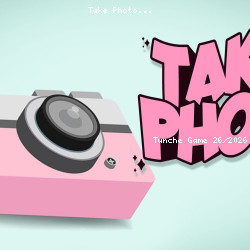
If you need a game that is both quick and easy to jump into, Take Photo is a very solid suggestion. Take Photo can be an appealing option for players exploring Adventure games games today. With TuncheGame, accessing Take Photo becomes much simpler than traditional games that require installation.
The scoring system encourages players to challenge friends. Enjoy unrestricted fun with Take Photo. Continue your gaming journey with Snake.io or Gangsta Island: Crime City.