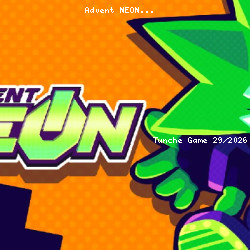
Play Advent NEON Free
CryoGX • 174.8K Plays • 1.4M Views • star 4.5 (9.7K)
All
Device
Landscape
Orientation
9.7K ratings
Rate This Game
gamepad How to Play Advent NEON
Controls
- [Action]: [Keyboard input] -- [Gamepad input]
- Move: WSAD/Arrows -- Left Stick/D-Pad
- Jump: Space bar/C -- Bottom Face/Left Bumper
- Punch: P/Z -- Left Face/Right Face + Direction
- Dash: O/X -- Top Face/Right Bumper + Direction
- Break Attack: Hold Dash + Press Punch + Direction (can also be done with the Right Stick on Gamepad)
Notes
- Has full gamepad support
- Remap inputs in the options menu
- "Tap up to Jump" can be set
- Gamepad Stick Deadzone can be set between 10% and 85% of the gate radius
- The game is currently only playable in Chromium-based browsers, e.g. Chrome
To ensure your gamepad controls are working, you can open a Visualizer for your inputs by going to Options -> Video -> Display Inputs. These show the real-time inputs from your controller regardless of what's happening in the game.
info About Advent NEON
Experience smooth gameplay on TuncheGame without any downloads. Players can test their abilities through numerous challenges in Advent NEON. Enjoy hassle-free gameplay directly in your browser.
Within the ecosystem, Advent NEON expands the reach of Action games no download gameplay. If you like web games, try Advent NEON now on TuncheGame. If Advent NEON was fun for you, Stickman WW2 and Destiny King might be great next picks.