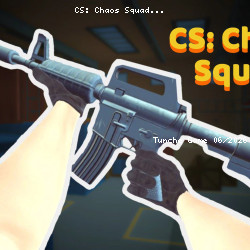
CS: Chaos Squad
GamePush • 133.9K Plays • 1.1M Views • star 4.5 (3.8K)
All
Device
Landscape
Orientation
3.8K ratings
Rate This Game
gamepad How to Play CS: Chaos Squad
Controls
PC Controls
- WASD / arrow keys = move
- Left-click = shooting
- Right-click = iron-sight
- T = inspect weapon
- J = open / close controls information
- Space = jump
- TAB = player's stats
- P / Esc = pause menu
- 1, 2 numbers = change weapons
Mobile Controls
Use in-game buttons to play the game. Automatic shooting when aiming or on the shoot button.
info About CS: Chaos Squad
CS: Chaos Squad is designed for players who love free online games. Easy to start but hard to master, the gameplay rewards persistence.
Players who enjoy play Shooting online will notice familiar systems within CS: Chaos Squad. unity is the technology behind CS: Chaos Squad, contributing to a stable gameplay experience.
Players can enter the game immediately by opening CS: Chaos Squad on TuncheGame. Start with CS: Chaos Squad on TuncheGame for a simple yet exciting experience. Players might also like Click 'n' Heroes or Shovel 3D.