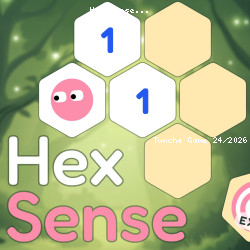
Hex Sense Online Game
Pro Mobile • 130.3K Plays • 651.2K Views • star 4.3 (9.4K)
All
Device
Both
Orientation
9.4K ratings
Rate This Game
gamepad How to Play Hex Sense
Controls
Each level starts with a mix of open and closed tiles. Your goal is to reach the Exit tile without stepping on a hazardous tile. To do that, you need to use logic, clues, and a few helpful tools. The most important thing is to make sense of the numbers that show how many hazardous tiles surround the tile with a number.
Movement:
- Point and tap/click to move Mochi to a tile.
- When you move to a closed tile, it opens and reveals what’s inside.
- If the tile contains a hazard, the game ends.
- You can move freely through open tiles.
- You can only move to closed tiles that are next to the ones you've already opened.
Flagging tiles:
- Use right mouse click or long tap to flag a tile as dangerous.
- Alternatively, you can tap the flag button and then the tile you want to flag
Revealing tiles:
- Use the Eye button to reveal what’s inside a closed tile without stepping on it.
Some levels require you to find a key to unlock the Exit. A progress bar shows how many safe tiles you’ve opened. The more you open, the more stars you get. If you open all safe tiles you get 3 stars.
info About Hex Sense
If you need a game that is both quick and easy to jump into, Hex Sense is a very solid suggestion. Hex Sense was completed by Pro Mobile before being brought to players by Pro Mobile.
The challenges in Hex Sense are designed to create a clear sense of progress after every round. With TuncheGame, accessing Hex Sense becomes much simpler than traditional games that require installation.
Within the Tunche free games space, this title performs strongly in the Puzzle games category. Enjoy quick and easy browser access. Games with a similar style to Hex Sense include Fantasy Avatar Anime Dress Up and Project Restoration.